
Assuming that VLAN ID is 123 and the private IP range is 192.168.123.0/24
- If eth0 is the port that VMs are connected to the corresponding bridge, we configure the switch port connected to eth0 to be a tagged member of VLAN 123.This VLAN has to be configured on all core switches and necessary access switches.
Create the VLAN in core and access switches and add all the necessary ports to it as tagged. Don’t forget to add it also to the link between the core switches (between ports 19)
We add all the eth0 (Nic1) of all the hypervisors as tagged to this VLAN. It is created in all switches that have public hypervisor connected to them and also uplink ports are added as tagged.
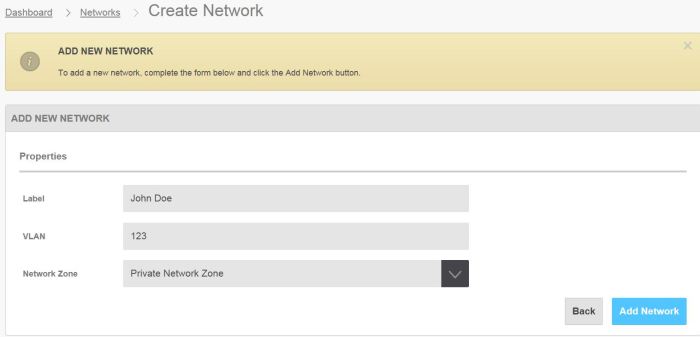
- In OnApp CP we go to Settings–>Networks–>Add New Network
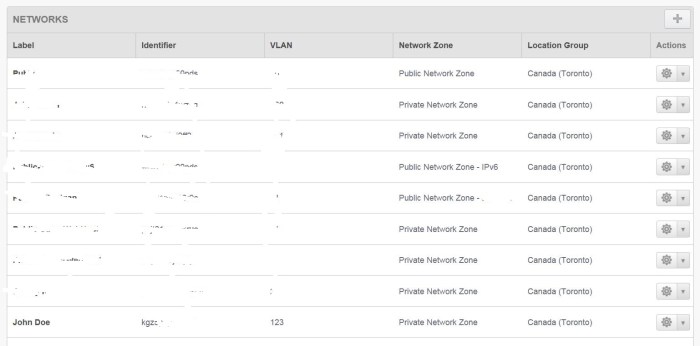
- Then click on the network name “John Doe” in the list
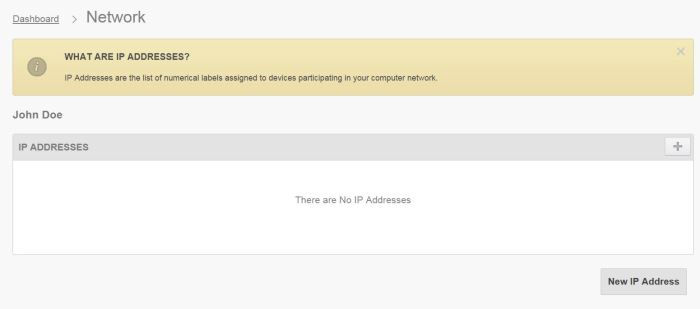
- Click on the “New IP Address”
- Add the IPs and make sure to select “Don’t use as primary during VS build”.
Enter the IP range and Netmask. Normally gateway is not necessary. Click “Save”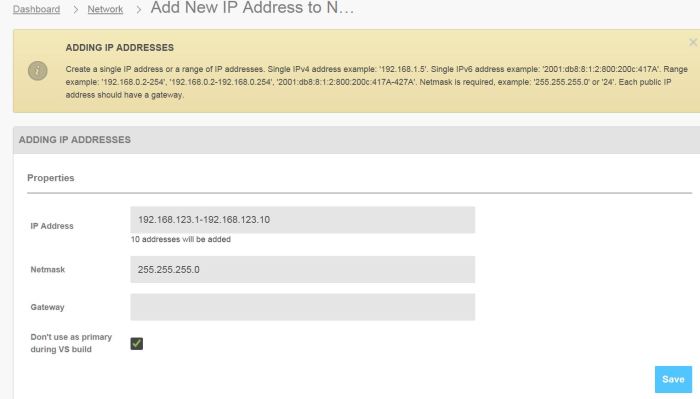
- In OnApp CP go to Settings–> Hypervisors. Click on the hypervisor that the VMs are located.
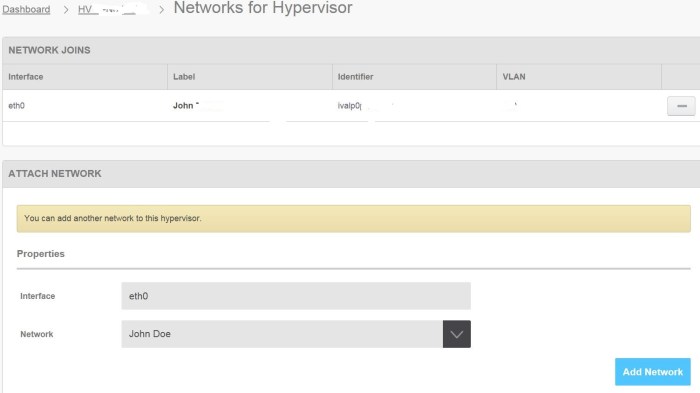
Then Click on Tools–>Manage Networks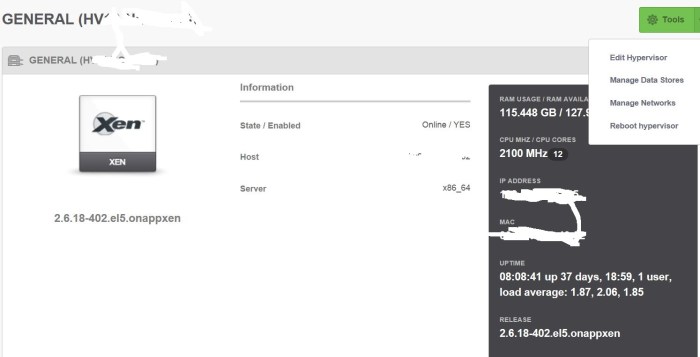
- Type the interface name (eth0) and select the network from drop-down menu.
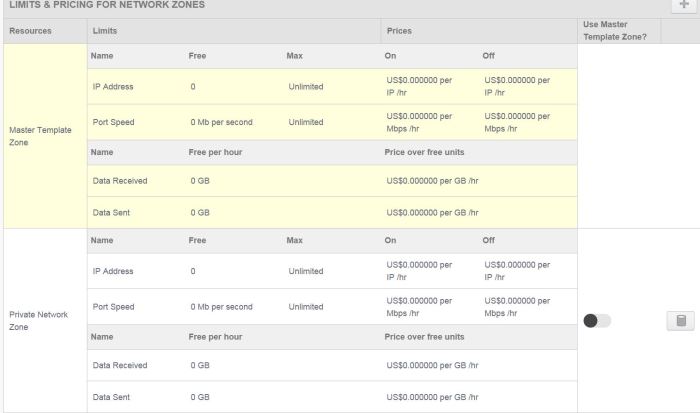
- Go to the client’s “Billing Plan” and make sure the proper network zone (Private Network Zone) is added to the section “Limits & Pricing for Network Zones”
- Go to the VM’s control panel and Networking –>Network Interfaces
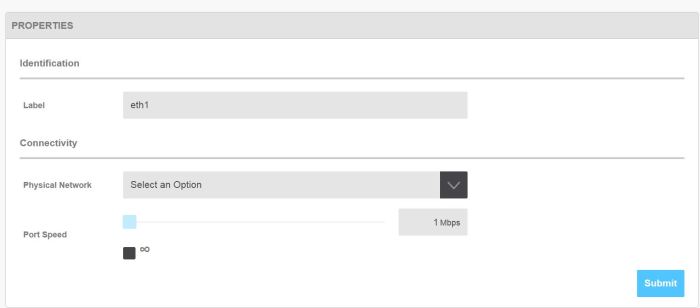
Click on “Add New Network Interface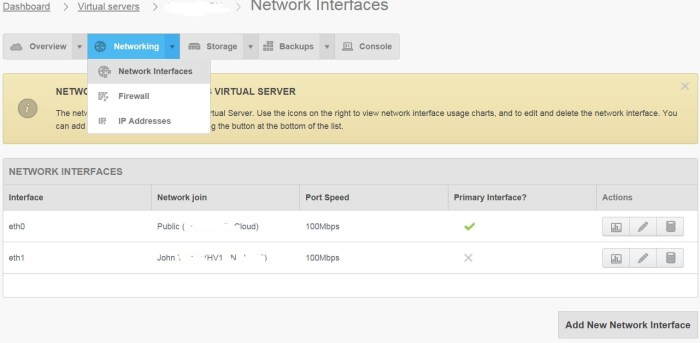
- Select a name for the interface and the Network name from the drop-down menu and port speed.
- Go to Networking –> IP Addresses and click on “Allocate New IP Address Assignment”
Select the VM’s Network Interface (The name that was assigned in previous step) and the IP from the range that was added in step 5.
Please notice that if there are no free IPs the list will be empty.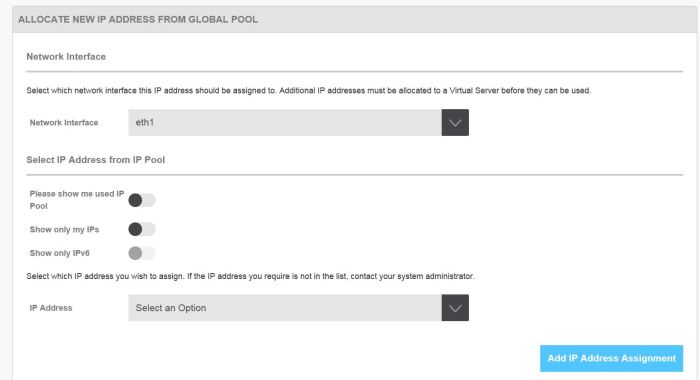
In order for the changes to take effect refer to this KB: How to reconfigure network interfaces of an Onapp VM
For setting up a VM as VPN server/Gateway to the private VLAN see this KB: OnApp VM network structure and the necessary changes needed for VPN servers
 Peter's Tech Blog