
The goal is to bridge two remote LANs so they form one broadcast domain. The tunnel is also called pseudowire as it acts like an Ethernet link between the remote LANs.
We install the SoftEther in bridge mode on client side and in server mode on server side.
It is important to remember that site-to-site VPN is not equivalent of layer 2 VPN and it is possible to have layer 3 site-to-site VPN, however in the industry most of the time when they use the term “site-to-site” they consider each site as a LAN and the layer 2 VPN as a virtual bridge between them.
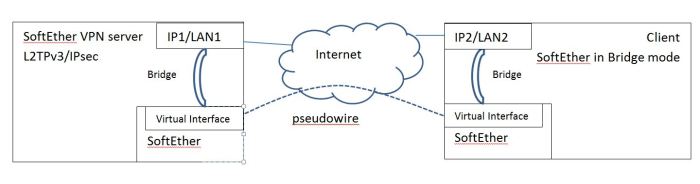
On server side:
If the default virtual hub has been used for other functions, create a new virtual hub.
- On the main management window, click on “Local Bridge Setting”.
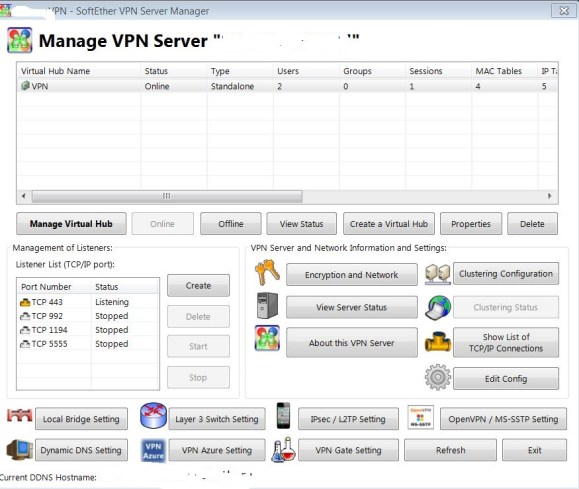
Skip steps 2 and 3 and go to step 4.
Select “Enable EtherIP/L2TPv3 over IPsec server function” and click on “EtherIP/L2TPv3 Detail Settings”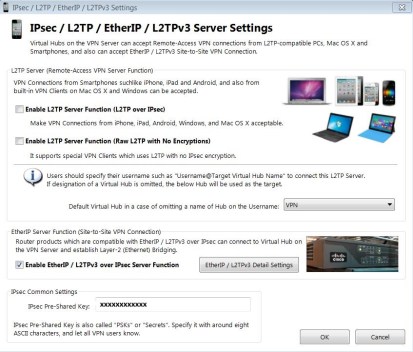
Select a proper virtual hub that has not already been used for other purposes. Also enter a user information for a user that has been defined on the corresponding virtual hub.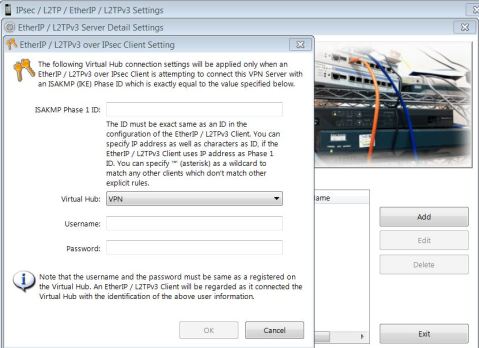
- Click on “Local Bridge Settings” and select proper virtual hub and LAN adapter and create a bridge between the virtual hub’s interface and Network Adapter.
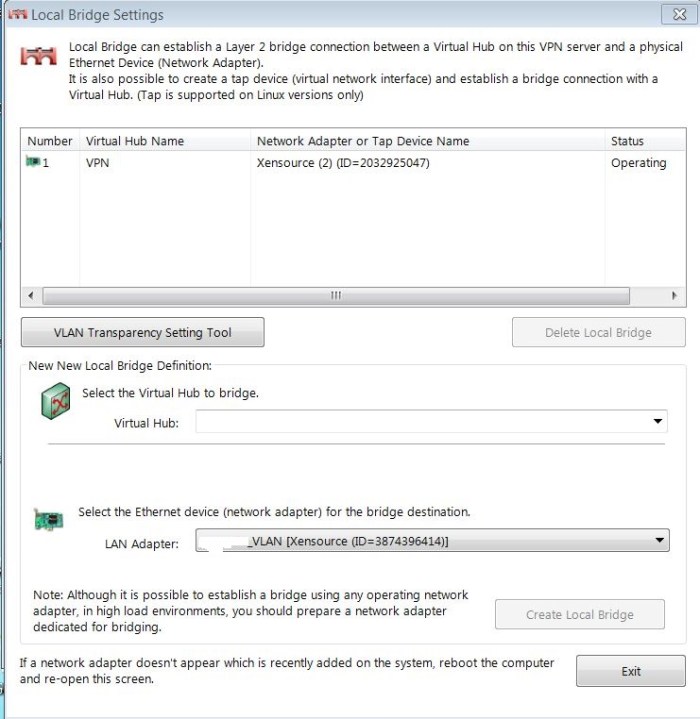
- We also create the user account that is going to be used by the client (SoftEther Bridge)
First we select the virtual hub: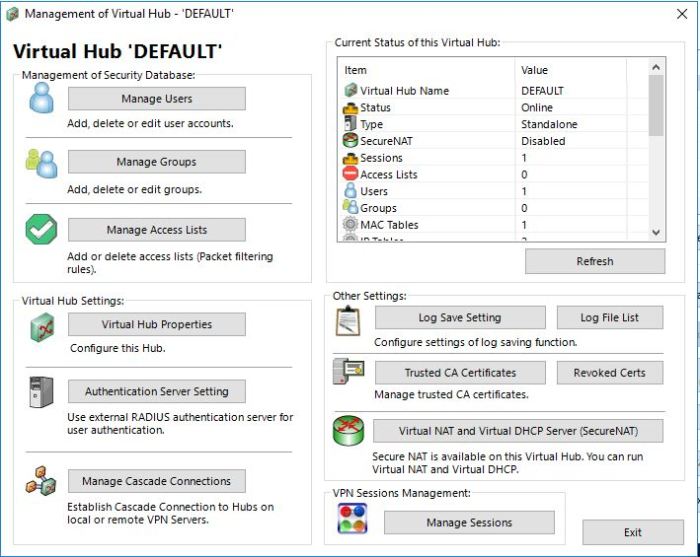
Then we click on “Manage Users”
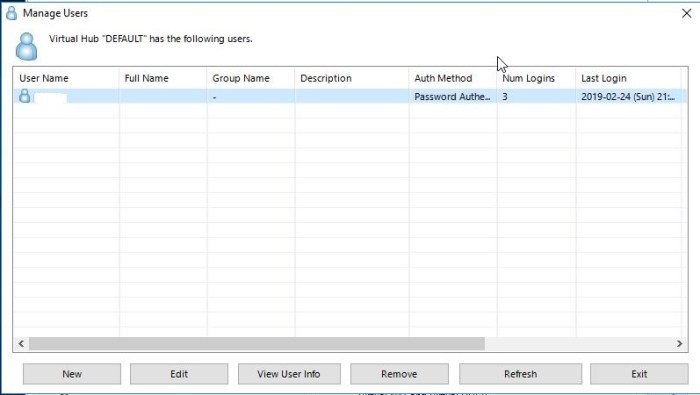
Click on “New”
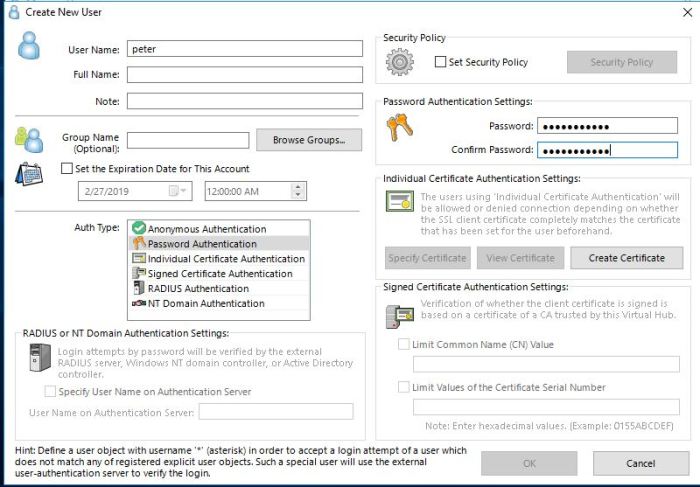
Select the “Auth Type”. For “Password Authentication” set up the username and password.
On client side (SoftEther Bridge):
- Install the SoftEther in Bridge mode.
- Configure the “Local Bridge Settings” similar to the instructions that were given in Server mode.
- Click on “Manage Virtual Hub” and then click on “Manage Cascade Connections”
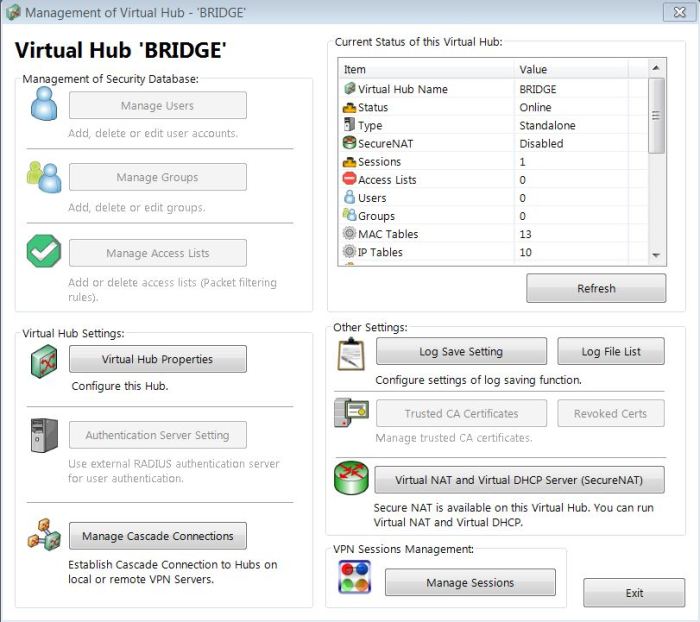
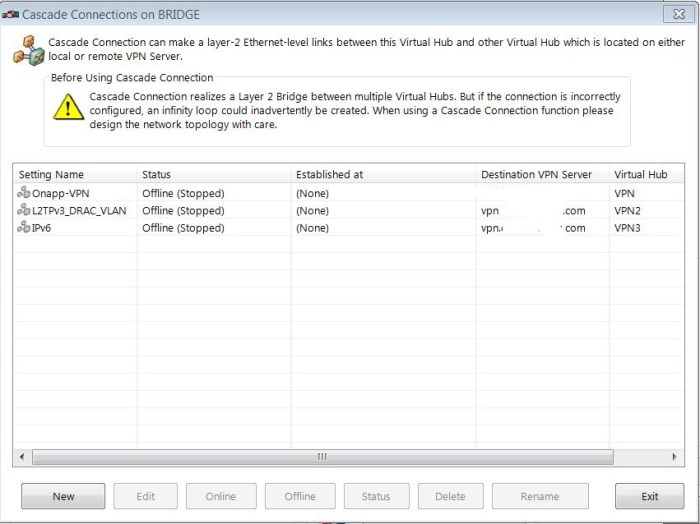
- Then click on “New” and create the “Cascade Connection” between local virtual hub and remote virtual hub.
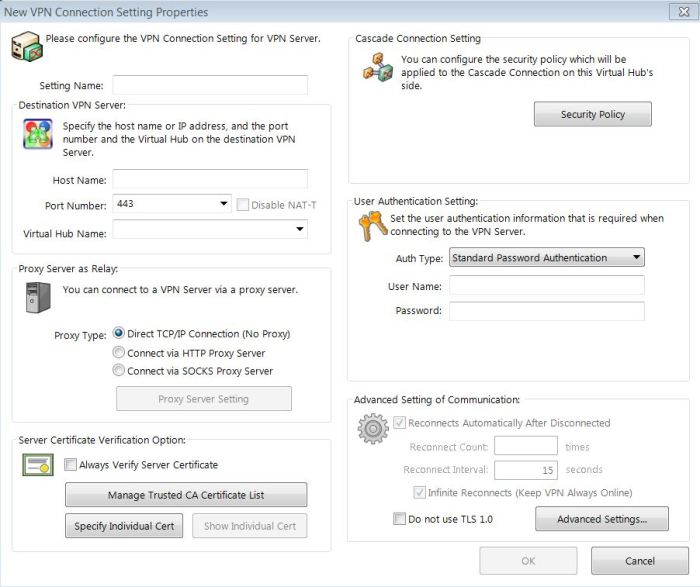
Select a setting name. “Host Name” is the IP or FQDN of the VPN server configured in previous section. “Virtual Hub Name” is needed if the default hub is not used on the server side. Select the same “Auth Type” that is configured on the server side. If we select “Standard Password Authentication” the we provide the credentials for an account that is set up on the corresponding virtual hub on the server side.
Update:
On server side steps 2 and 3 are not needed because the protocol is not IPsec/L2TPv3. SoftEther uses its own protocol Ethernet over HTTPS as explained here: https://www.softether.org/1-features/2._Layer-2_Ethernet-based_VPNIPsec/L2TPv3 is needed for L2VPN between SoftEther and Cisco routers that support this protocols.
 Peter's Tech Blog