
- show interfaces brief can also be typed in shortened form: “sh int br”

- show interfaces config (sh int conf)

- show vlan it shows the list of VLANs on the switch

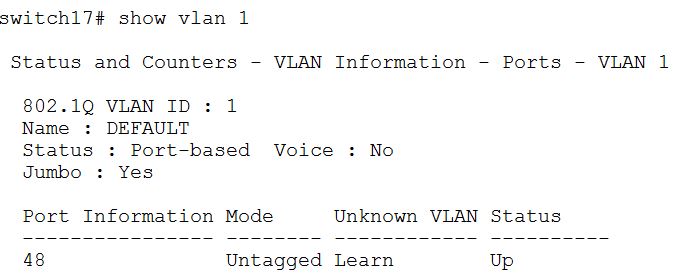
- show vlan or it gives information about port membership of a particular VLAN
- show mac or We can use this commands to show mac addresses on a port or to find the port that a given MAC address exists.
It is important that in order for the port to learn the MAC address of the host, the host interface has to be configured and active traffic on it. So the MAC address of a host without OS will not appear on the switch port.
Since the learned MAC address times out after a certain amount of inactivity we have to generate some traffic on the port for host OS or Drac.
- show vlan port X. It shows the VLANs that port X is member of. It doesn’t show tagged or untagged. For that we must use “show vlan N”
 Peter's Tech Blog